
Did you know that you are able to claim up to 33% of donations back as tax credits from the IRD? You can also claim up to four years of donations back if you haven’t already done so. This post is a step by step guide to making a claim with the IRD.
What you need to make a claim:
- a MyIR login or RealMe login.
- Your IRD Number.
- a copy of your donation receipt(s). This can either be a PDF, photo or scanned version of the physical document.
- If you make a one off donation, you can submit the receipt given to you each time you donate.
- If you are a regular giver, in April of each year we will send you a receipt covering all of your donations from the previous tax year. You can submit this receipt to make your claim.
- If you have made both one off cash donations and regular gifts, you will need to submit each of your receipts for your one off gifts and your annual receipt (for your regular gifts).
The claims process:
- Register or login to your MyIR account. If you are registering a new account, please select the option to receive donation tax credits. You will need your IRD number.
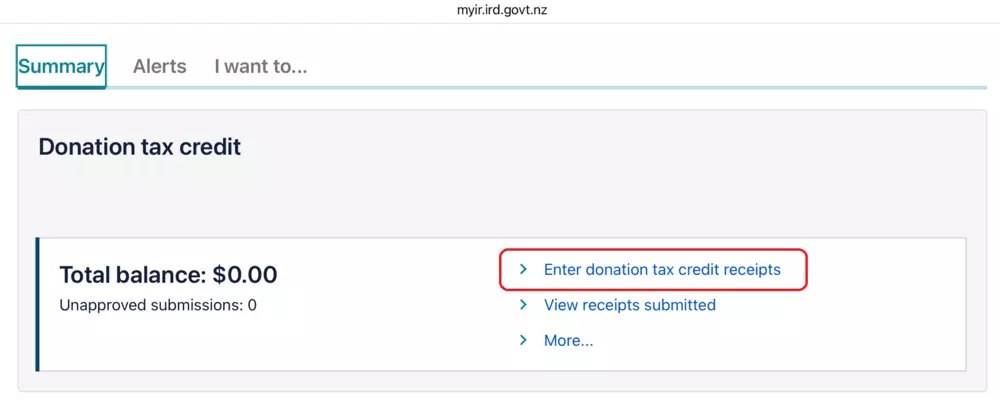
- Once you have signed in to your MyIR account you will be on the “Summary” page, scroll down to the “Donation Tax Credit” section and click on “Enter donation tax credit receipts” as per below.
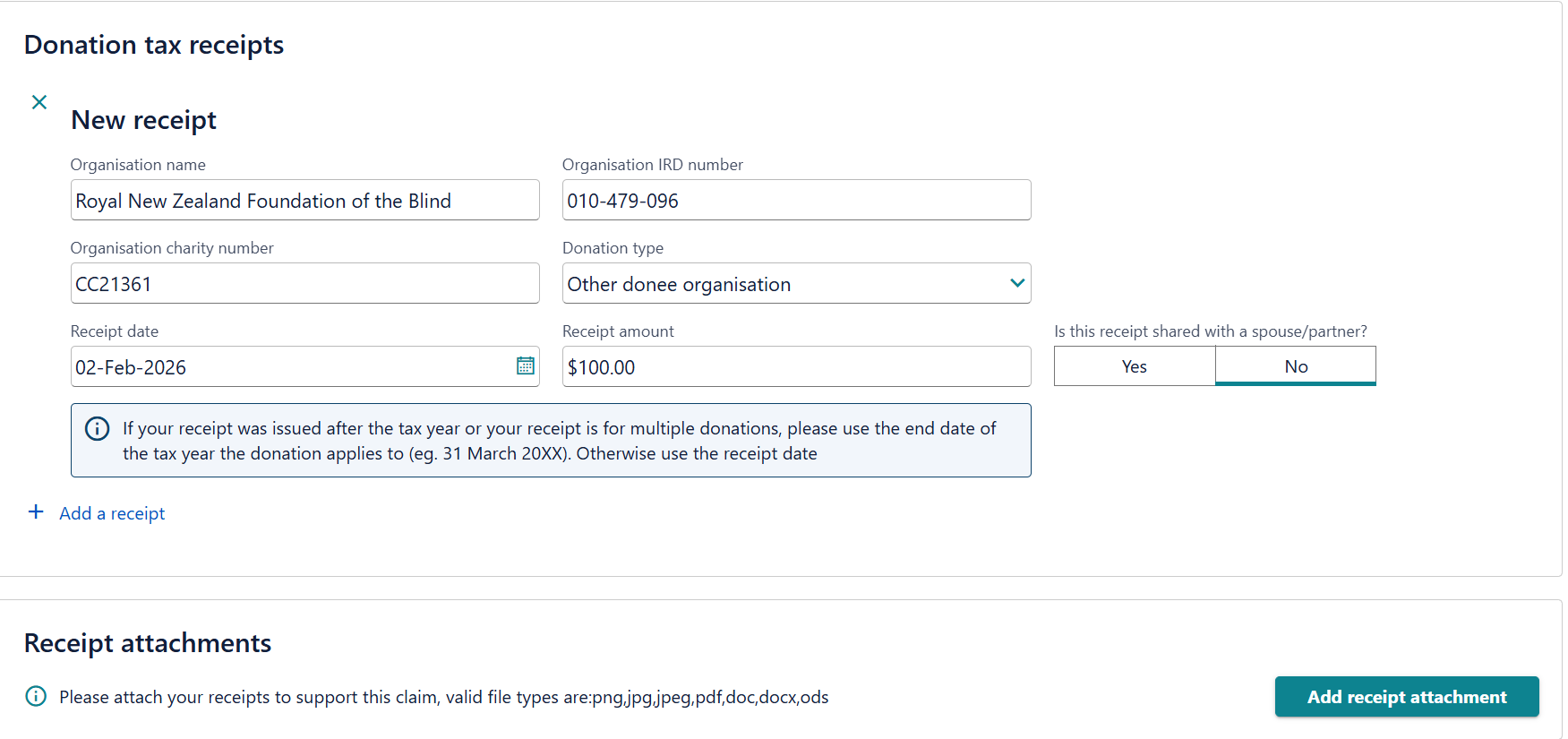
- Then click on “Add a receipt” and enter “Royal New Zealand Foundation of the Blind” as the “Organisation name.” Royal New Zealand Foundation of the Blind is the legal name for Blind Low Vision NZ. When claiming your donation tax credit through myIR, please enter Royal New Zealand Foundation of the Blind as the Organisation name.
- Enter “CC21361” in the “Organisation charity number” field. Enter “010-479-096” into the “Organisation IRD number” field. Select “Other donee organisation” from the “Donation Type” drop down menu. Enter the date of the receipt and the amount on the receipt.
- You will need to add a copy of your receipt(s) to complete the claims process. You can attach a copy of your receipt by clicking on “Add receipt attachment.” In the “Document description” field, give the document you are uploading a name (e.g. Blind Low Vision Donation Receipt). Click on “choose file.” Select the receipt of the donation you are making a claim for. When submitting receipts to the IRD please ensure that they are complete and not cut off or omitted in any way.
- Once you have completed all of the required fields above, you can click “Next” to go through to the summary page. Check the details and if everything looks correct, click “Next.”Finally, you will be asked if you would like to transfer your credit. If you click “yes”, you can transfer your tax credit to Blind Low Vision NZ (for example). If you click “no” your credit will go back to you.
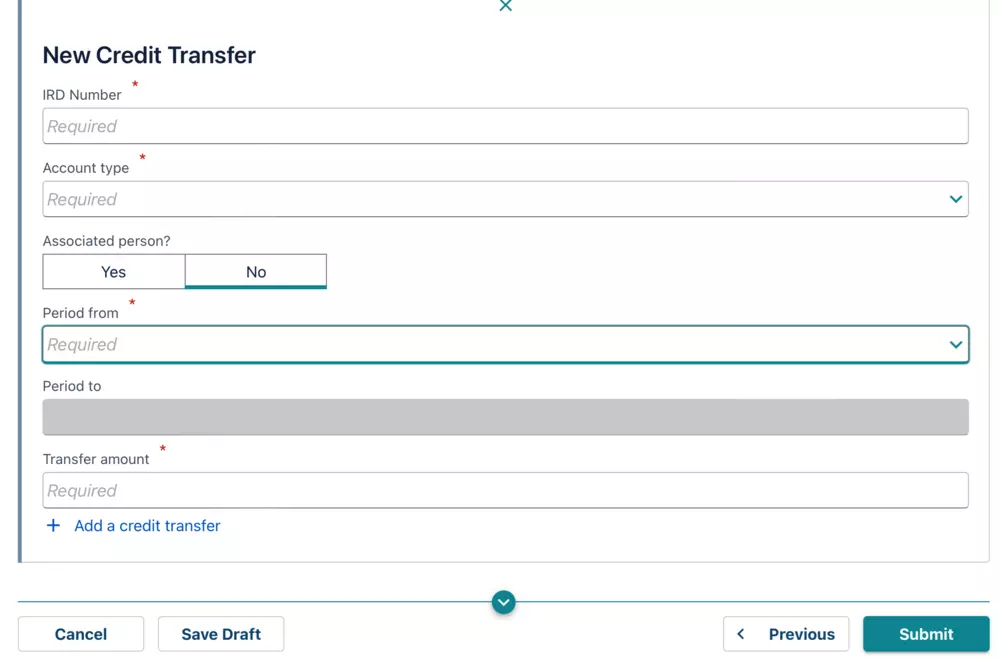
If you choose to donate your tax credit back to Blind Low Vision NZ we thank you! Your support helps us deliver services to blind, deafblind and low vision New Zealanders to help them live the life they choose.
Next :
Hmm, no more results were found, click here to return to all "News".